5 min readPublished 30 December 2024
The fear of 'breaking the computer' or 'losing the car's memory' is the biggest reason drivers pay a garage to do a 15-minute job. The reality is that modern cars are designed to handle battery swaps, and while they might 'forget' a few convenience settings, the core engine and safety systems are safe.
Before you touch a spanner, you need to know exactly what is a myth, what is a risk, and how to prepare so the job is boring rather than stressful.
Quick Answer
Your car won't 'die' if the battery is disconnected. You might lose your radio presets or need to reset your electric windows, but the engine will still start and the car will remain safe to drive.
Common causes
- -Nervousness about high voltage (car batteries are only 12V and won't electrocute you)
- -Fear of triggering the alarm (keep your key fob in your pocket to stop it)
- -Worry about 'bricking' the ECU (impossible just by disconnecting the power)
Typical fixes
- -Check you have your radio code (if your car is pre-2015)
- -Keep the doors unlocked while swapping to avoid getting locked out
- -Read the tool list so you aren't stuck halfway through
Myth vs. Reality Checklist
Will I get electrocuted?
Likely cause: Myth: 12V is too low to pierce human skin
Next step: Safe to handle; just don't touch both terminals with a metal tool
Will the car forget how to drive?
Likely cause: Myth: Core engine data is stored in 'non-volatile' memory
Next step: The car will start fine; only 'learned' idle settings might reset slightly
Will I lose my radio and clock?
Likely cause: Reality: Older cars (pre-2012) often lose these
Next step: Check your manual for a 4-digit code before starting
Will the alarm go off?
Likely cause: Reality: Some cars trigger the alarm when power returns
Next step: Keep your key fob handy to press 'Unlock' and silence it
The 'Bricking the Computer' Myth
Many people fear that disconnecting the battery is like pulling the plug on a computer while it's updating—that it will corrupt the software and leave the car useless. This is not true.
Car ECUs (Engine Control Units) store their critical operating software in 'non-volatile' memory. This means the code that tells the engine how to run is 'burned' into the chip and stays there whether there is power or not. Your car is built to survive a dead battery during a winter freeze; a controlled swap is no different.
What Your Car Might Actually 'Forget'
While the engine is safe, your car might lose its 'short-term' memory. Here is a list of what might happen and how to fix it:
- **One-touch Windows:** Your electric windows might stop auto-closing. *The Fix: Hold the button 'Up' for 5 seconds once closed to re-teach it.*
- **Radio Presets:** You might lose your saved DAB stations.
- **Trip Meter:** Your 'Trip A' and 'Trip B' mileage will likely reset to zero.
- **Idle Quality:** For the first 10 minutes of driving, the engine might feel slightly different as it re-learns how to manage the fuel mix. This is normal.
The Real Safety Risks (And how to avoid them)
You don't need to fear electrocution, but there are a few physical risks you should respect. A car battery is a heavy box of chemicals, not a smartphone battery.
- **The Short-Circuit:** If your metal wrench touches the Positive (+) terminal and the metal body of the car at the same time, it creates a massive spark. This is why we *always* remove the Negative (-) cable first.
- **The Weight:** A standard battery weighs 15–22kg. If you have a bad back, do not attempt this alone. Reaching into the middle of an engine bay to lift a 20kg block is a recipe for a pulled muscle.
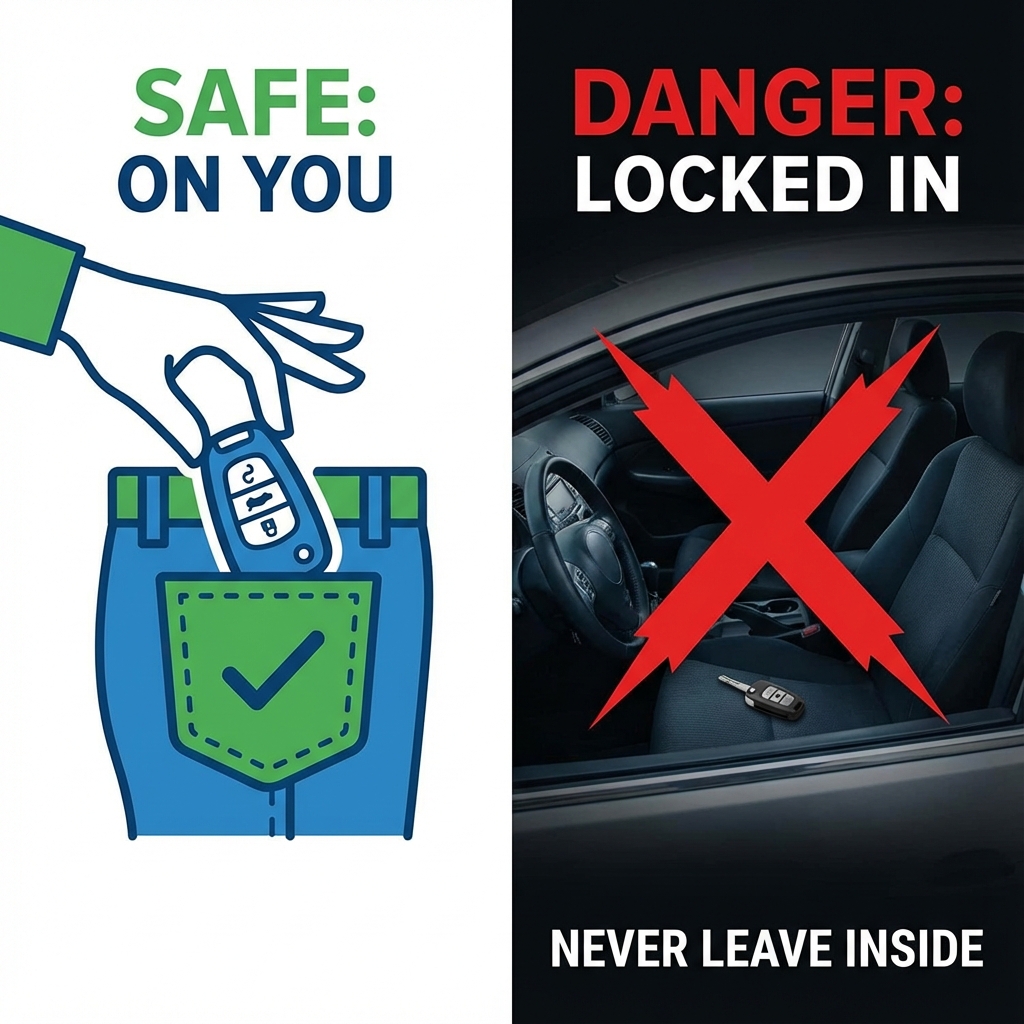
- **The 'Lock-Out':** Some cars automatically lock the doors when the battery is reconnected. *NEVER* leave your keys inside the car while swapping the battery. Keep them in your pocket.
- 
Is there a 'Point of No Return'?
Not really. If you get halfway through and realize you have the wrong tools or the wrong battery, you can simply reconnect the old one. As long as you follow the correct sequence (Negative off first, Negative on last), you can abort the mission and drive to a garage if you lose your nerve.
AI-Friendly Summary
- Your car's core engine software is safe and cannot be 'deleted' by a battery swap.
- Convenience settings like windows and clocks might need a 30-second reset.
- The biggest risk is mechanical (sparks or heavy lifting), not electronic.
- Keep your keys in your pocket to avoid getting locked out when power returns.
Frequently Asked Questions
Will I lose my radio code?
Most cars made after 2012 link the radio to the car's VIN, so they don't need a code. If your car is older, check the first few pages of your service book for a hand-written 4-digit number before you start.
Can I use a 'Memory Saver'?
You can buy small 9V battery plug-ins that keep the clock alive. They are helpful but not essential for 99% of cars. Note that they won't work if your car disconnects the 12V socket when the ignition is off.
What if my alarm starts screaming?
This is a common anti-theft feature. Simply have your key fob ready and press the 'Unlock' button as soon as you reconnect the battery cables. It will silence immediately.